

Instagram recently explained how its algorithm works and the fastest way to grow your presence on it. And guess what's the first item on the list? Consistency.
Having a social media management tool like Sendible, with its Instagram scheduler, can do wonders for growing your presence. It saves you time and takes guessing out of the picture. Features like Optimal Times help you detect when your audience is most active, saving best-performing hashtags to Content Library can help you with experimenting and eliminating unnecessary steps, Priority Inbox helps you manage comments, Campaign labelling helps you track and report back on campaigns, topic clusters, and experiments.
Finally, you can schedule months' worth of content in advance, automate the reposting of evergreen content, manage your content, get approvals, and so much more.
But, how do you even get started?
In this quick guide, we'll cover:

How to get started with scheduling Instagram posts
If you’re already a Sendible user (lucky you), you can start scheduling your Instagram posts right away! You just need to follow the two steps below:
1. Set up your Instagram Business Profile
If you haven’t already converted to a Professional Account on Instagram, now’s the time! You will only be able to post directly to Instagram with a Professional Account, but do not worry; it will only take a minute of your time to convert your current profile.
Simply navigate to the three-line icon on the top right of your Instagram profile screen and then select “Switch to Professional Profile.” Note that at this stage, you will be asked to link your Instagram profile to the Facebook page for your business.
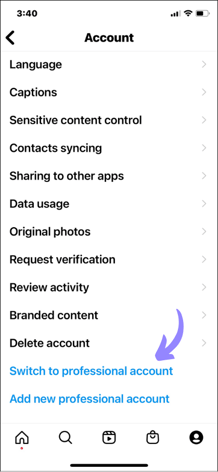
Image source: Instagram
Bonus: Switching to an Instagram Professional Account gives you access to valuable information, such as detailed post analytics and the ability to add more details (like email and phone number) to allow your followers to further connect with you.
2. Connect your Instagram Professional Account to Sendible
Once you’ve converted your profile:
- Log in to your Sendible account.
- Navigate to the ‘Profiles+’ tab within Sendible.
- Select ‘Add Profiles’.
- Click on the Instagram logo.
- Select ‘Set up’ next to Instagram Business
- Continue with authorising your account and… voila!
Note: Instagram's API is connected to Facebook so make sure that you are logged into the right Facebook account while connecting your Instagram Professional Account to Sendible. Check out our step-by-step guide on setting this up on our Support Portal.
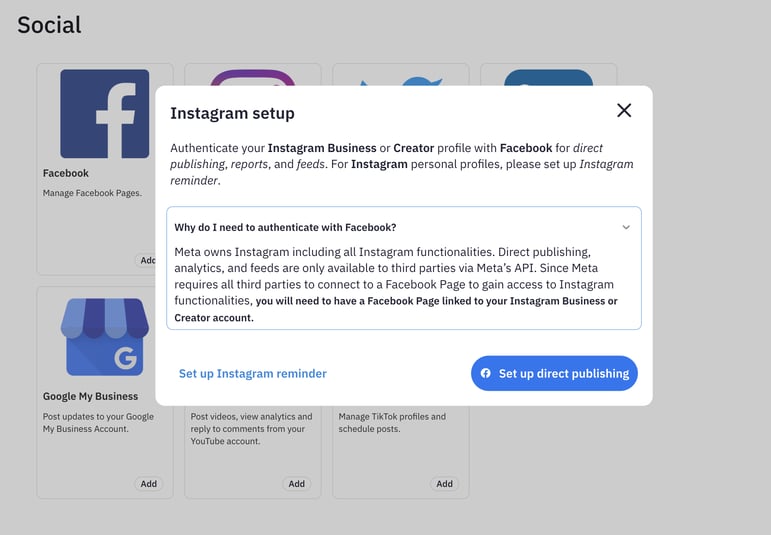
Now, you're ready to schedule all your Instagram content directly from one tool and take your social media management to the next level.
How to schedule single-image Instagram posts
When publishing a single-image Instagram post, it's crucial to ensure that your content is visually appealing and optimised for the platform's specifications.
Keeping your image under 5MB in size and within the maximum resolution of 1080x608px for landscape images, 1080x1080px for square images, or 1080x1350px for portrait images is key to maintaining high quality on Instagram.
Do not worry—you do not have to remember these things off the top of your head. Sendible's Image Editor feature allows you to resize images to fit the preferred dimensions for social media networks and add filters, text, or stickers to enhance your content.
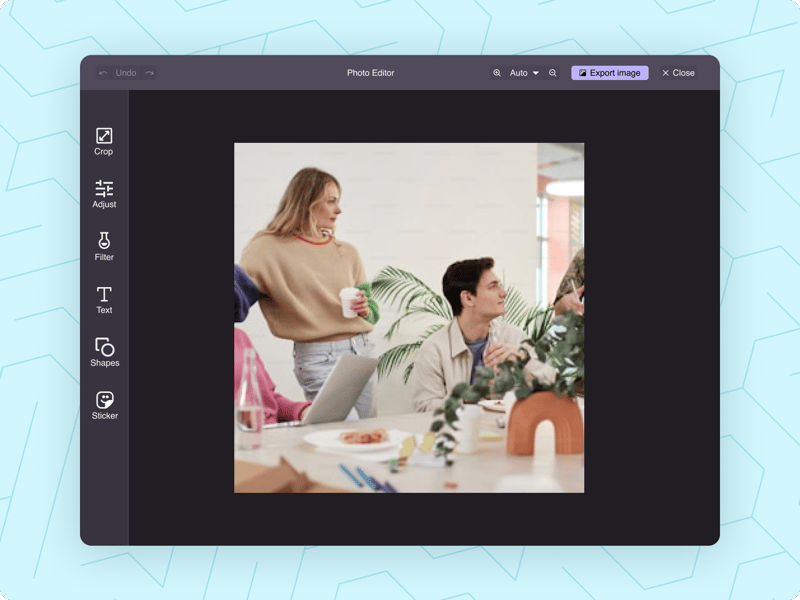
By following these guidelines and leveraging tools like the Image Editor, you can create eye-catching posts that captivate your audience and drive engagement on the Instagram app.
How to schedule Instagram Reels
With the rise of video content dominating social media platforms, it's no surprise that video is currently king. At Sendible, we understand the power of video in capturing audience attention and driving engagement. That's why we've made it incredibly easy for you to either use our Instagram direct publishing option or schedule your Instagram Reels.
Whether you're showcasing product demos, behind-the-scenes footage, or simply sharing engaging content, our platform allows you to incorporate video into your Instagram strategy seamlessly. Let's show you how easy it is:
Can I schedule Instagram Reels with trending sounds?
This is probably one of our most asked questions about Reel scheduling. The simple answer is no. No third-party scheduling tool is capable due to the restrictions within Instagram's API.
However, we have the best next solution for this—Instagram Reminders. With this feature, you can schedule posts as you would for any other network, but you will receive a push notification and email when publishing. The caption with hashtags will be automatically copied into your clipboard, and you can edit the photos or videos before posting.
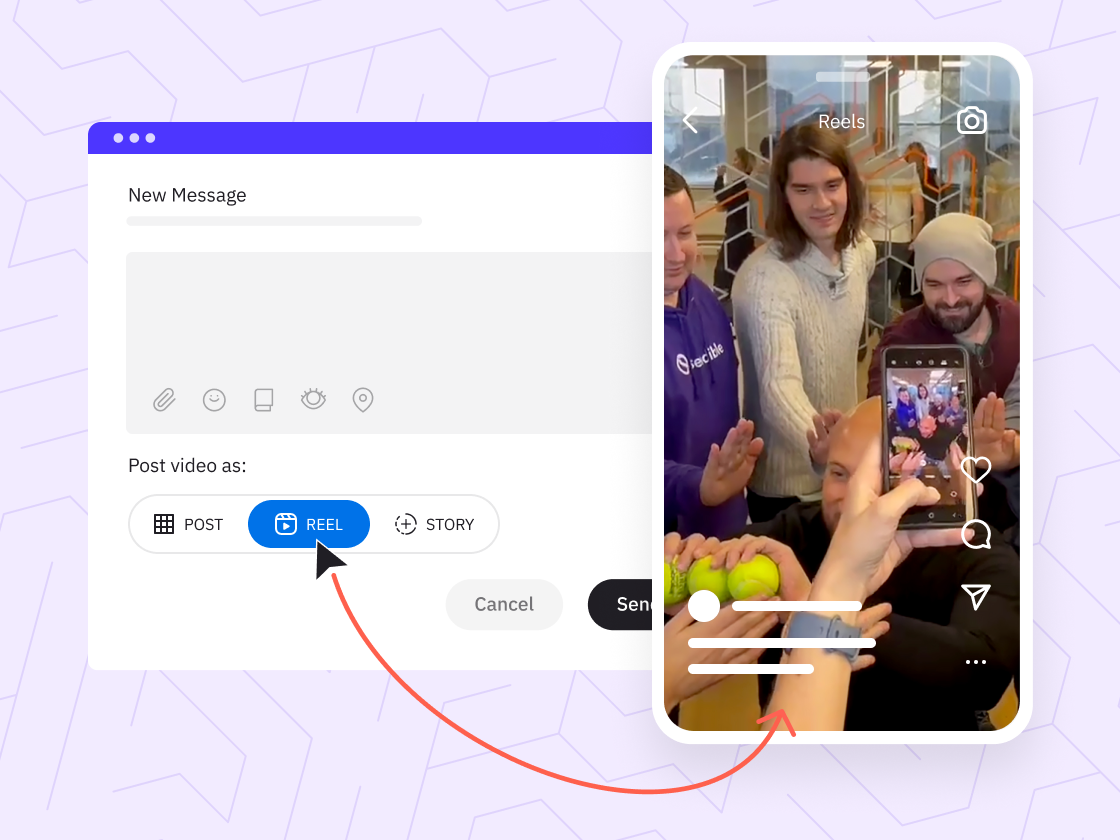
Showcase your Reels in real time while you focus on other tasks.
How to schedule Instagram Carousels
Instagram Carousel posts allow you to showcase multiple images or videos in a single, swipeable post on your Instagram profile. This feature is perfect for telling a story, sharing educational content, or simply engaging your audience with a visually appealing sequence of content.
With Sendible, you can directly publish or schedule carousel posts with just a few clicks, making it easy to create dynamic and engaging posts that stand out on your Instagram feed.
Let's show you how:
How to schedule an Instagram Story
Publishing Instagram Stories is the last card to add to our stack of Instagram publishing features, but they certainly pack a punch when it comes to engaging your audience.
With the ability to share temporary content that disappears after 24 hours, Instagram stories provide a unique opportunity to showcase the more personal, behind-the-scenes aspects of your brand. From live updates to interactive polls and quizzes, stories offer a dynamic and interactive way to connect with your followers in real time.
With our user-friendly interface at Sendible, scheduling your Instagram stories has never been easier. In just a few simple steps, you can plan out your stories, ensuring that you stay connected with your audience even when you're busy being busy.
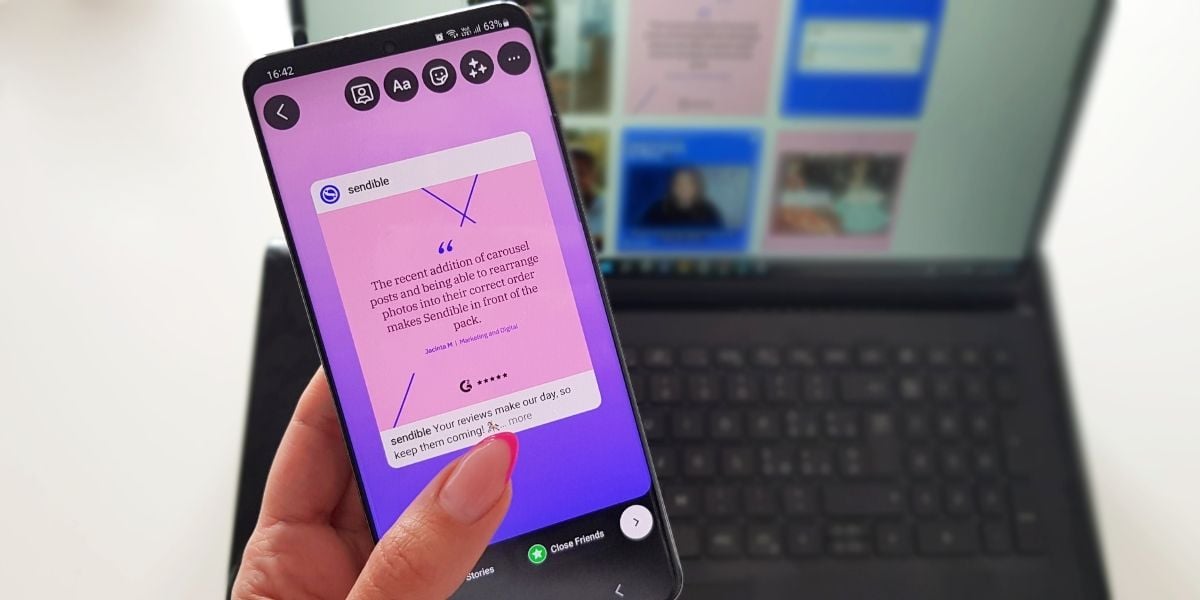
Instagram Story scheduling at your fingertips.
Schedule stories for when you're busy being busy.
Other useful Instagram resources and features
We have a treasure of resources at your disposal to assist in the growth of your Instagram page or that of your clients; let's check them out.
Instagram resources to help you succeed:
- Audit Instagram Business Profiles in 30 minutes or less
- When Is the Best Time to Post on Instagram
- 14 Essential Instagram Metrics You Need to Track
Instagram features to check out:
- Instagram First comment
- Reply to Instagram comments
- Content Library to store all your amazing content

Wrapping it up
Being able to post directly to Instagram via Sendible is a pretty nifty feature that will save you tons of time. This seamless integration allows you to manage multiple Instagram accounts and stay ahead of the game in engaging your audience.
By utilising Sendible's Instagram publishing options, you can effortlessly schedule and manage a variety of content types, from single-image posts to engaging Instagram Reels and interactive Stories. With the ability to plan and publish your content in advance, you can maintain a consistent presence on Instagram without the hassle of manual posting.
Say goodbye to last-minute rushes and hello to a more efficient and effective social media strategy. Trust Sendible to elevate your Instagram game and make posting a breeze.
Happy posting!

Try Instagram Scheduler for free for 14 days.
Leverage Sendible’s Instagram integrations to create, schedule, publish, and engage with your posts seamlessly.

Text copied!